Archive for the ‘projects’ Category

NES Max Mouse

June 19, 2016

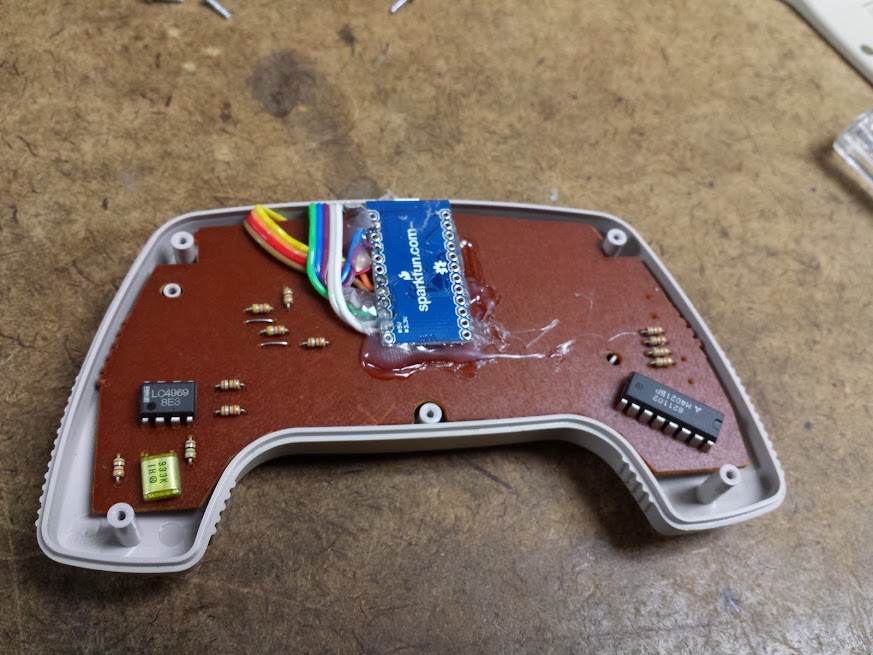
This is actually a nice polished mod for once.  I did this a while ago, so I don’t have all the hoops I jumped through fresh in my head (and as such this will be short).  I picked up an NES Max at a garage sale for a dollar or two, it’s this really cool controller that makes the D-pad feel kinda like an analog stick, but it’s still digital.  It’s also got 2 built in turbo buttons.  That’s right, turbo buttons from an OEM.  I’ve seen people removing the brain of NES controllers and using then as joysticks or keyboards for games, but I had a different idea in mind.  How about a mouse.

This thought came from the fact that the Max UN-D-pad looks a lot like the psp analog stick.  It slides, rather than tilts.  It’s also only slightly larger.  With that as true analog control and 4 buttons I had all the makings of a mouse.  This controller with it’s turbo buttons seemed like the perfect reason not to remove the controller IC and instead to interface with the NES pad just like an NES would.  My work was basically done for me in the form of the the NESpad library.  Now, I realize the NES controllers are just shift registers, but sometimes it’s comforting to know that someone else had enough success with their specific implementation to publish their code.

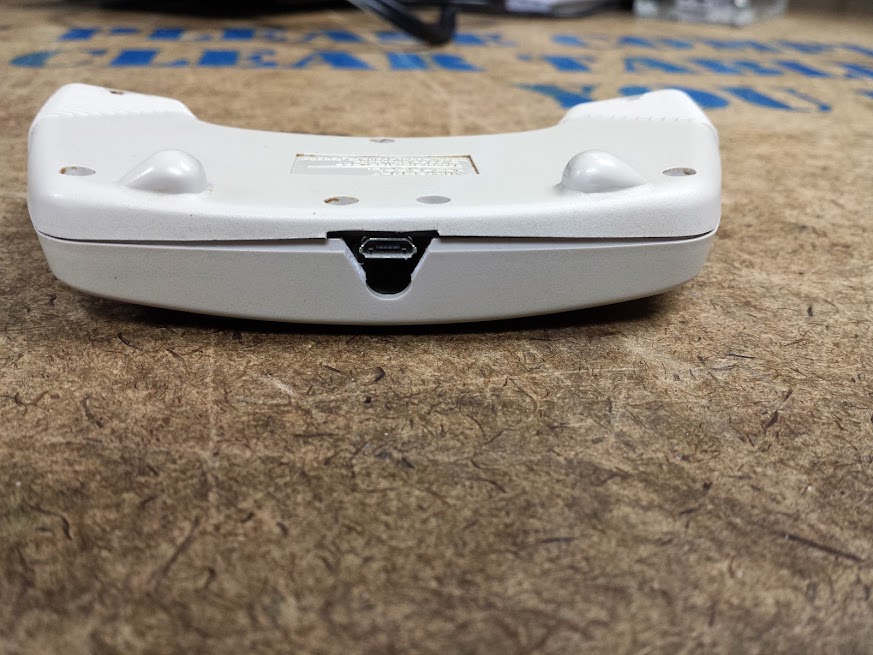
My analog reading code is very… primitive.  I could certainly use some fine tuning in the acceleration, diagonal boundaries, and any other advanced algorithms, but this works as a proof of concept.  I tried to modify the controller as little as possible, I think I made it look quite good from the outside.  Now I have a usb mouse, with turbo click! I’m sure someone who felt like it could do this with an adafruit feather and make it bluetooth, but I use what I know, the atmega32u4.

The code can be found here.

The rest of the pictures can be found here.

Wave Bubble Wrong Part

June 19, 2016

Here’s a quick one.  A long long time ago, in a lab far away… Ok, so some people may know what a Wave Bubble is, some people may not.  Basically, it’s a device that will let you silence cell phones around you.  It may be illegal, but so are all the other good things so if you don’t bother anyone else by doing it you will certainly not have any issues.  The documentation for this device was great, but because of the type of device that means the instructions stayed in a sort of V0.5 state.  This leads to mistakes.  The forums are a help, but with so few people willing to try building it it’s still a bit scattershot.  Parts go out of production, technology moves on, and there isn’t a fundamentally new version of the design available which makes building it even harder.

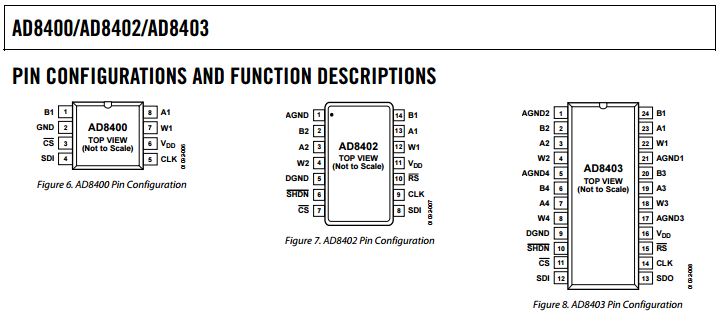
As part of a group buy of components a friend put together order for boards, parts, and all the needed bits to make this project work.  Well, it didn’t work.  The one major problem I had in building this was that the original BOM we ordered from (I can’t find it, but I trust him) had the AD8403 listed as the digipot.  That was wrong, it should have been the AD8402.  The difference is one digit, 10 pins, and 2 internal digipots.  The nice thing is that the addresses they respond to are the same, and that the smaller ones are just a subset of the bigger ones.  If you are comfortable soldering like me then grab yourself some 80-pin ide cables strip them down, and solder up an adapter.

Now, I can’t say I recommend buying the parts to build this kit.  It’s hard, doesn’t produce something very useful, and if we’re honest you can get one from aliexpress.  If you do try to build one, I recommend doing a bit more research and checking out the wiki.

car compass (fail)

June 19, 2016

So, recently I quit my old job at Eaton and started a new job at GM.  Both automotive companies, neither really much different from each other and my part in them also not supper different.  That’s not important right now.  What is important is that I can get a better parking spot by having a GM vehicle (not entirely true, but I’ll go into that later).  I took this as the time to upgrade from my 2000 explorer eddie bauer edition with the most anemic engine and slushbox offered in that year, but all the bells and whistles to a 2003 saturn l200 with no options at all as far as I can tell.  This bumped my fuel economy from about 12mpg (as read by the green VFD in the explorer’s center console computer thing) to near 22mpg (as calculated by me keeping a spreadsheet of the fill ups I make in the saturn because I’m a nerd).  I also lost all the cool options I had, sun roof, power heated seats, cd changer, trip computer, and best of all: compass.  Some people may take for granted their old heap with all the options that’s worth about $800 had a compass and that any newer car will, but that’s not the case.  My new car didn’t (along with holes in the exhaust, a plate glass driver’s mirror, no hood release cable, broken windshield, and a really shitty radio) so I decided to add one.

When I’m driving around the most useful thing I can have to navigate is a compass, since this is Michigan (could you tell since I moved from one car related company to another) the clouds cover the sun and stars most of the time so I can’t use celestial navigation as much as I might want to.  If I’m in a subdivision that has lots of turns it helps to know which direction I’m pointing when I choose my route, or even when I’m on a main road that’s not a mile road, or one that intersects not at a right angle (I know, madness).  I have an IMU, I have an arduino, I have a display, how hard could it be?

The IMU I used is the mpu9250, a very popular one with enthusiasts interested in quadcopters, balancing robots, VR controls, whatever.  By picking a popular one I could use a nice library written by someone else.  That library even has optimizations for the teensy 3, which is cool.  I based my code off the teensy 3 example code but removed all the display code and substituted my own.  You may recognize my old code from this display I salvaged back in the day.  The cool thing about this IMU is that it also includes a temperature sensor which I can use. That gives me a total of X, Y, Z acceleration, gyroscope, and magnetometer as well as a thermometer all using only 2 pins!

Some of you may not recognize how useful a thermometer that updates live can be on a vehicle, let me disabuse you of that notion right now.  For some of you, the temperature outside your car may not change significantly from when you get in and start driving until you get out at your destination, but that is not always the case for me.  When you drive straight north for four hours in Michigan in winter you can go from slush, to ice, and back again several times which is nice to know considering that while you may be a consistent temperature and humidity in your seat the tires that keep you on the road are not so lucky.  That being said for my revision 1 I chose to put the sensor inside the cabin because I know from experience pushing i^2c over long distances near noisy electronics is a recipe for failure.

I also added a potentiometer and am reading that in a loop and mapping it to the brightness levels of the display.  I thought about trying to tie into the dimmer circuit in the car, but for now what I have is a stand alone device that I can velcro to the dash.  Should I want to integrate it into the vehicle wiring all I would have to do is adapt the dimmer signal from 0-12V to 0-3.3V and I’m done, the code’s already written.

That’s where this project stands, It’s a small self contained compass with temperature reading capabilities (limited range, but whatever).  I will also note that this does not work in my car.  This may not work in any car except this one but there is still a hope.  I originally stopped here when I got this working and realized that it had the exact same issue as a friend’s laser/radar scanner (in that it always read north east).  I was subsequently informed that certain aftermarket products have a calibration mode where you are instructed to circle clockwise and counterclockwise in a parking lot to establish ranges.  I know nothing about this calibration routine, but I should be able to figure it out some time soon.  As it stands this is a fail, but I use it as a thermometer in my bedroom since it’s just powered by a usb port.

My code is here

Additional images can be found here

ESP8266 control panel (input muxing)

June 10, 2016

So, I got a housewarming gift in the form of some pieces from an SEM control panel (it really is the people you know that helps).  My default answer these days is to adapt the controls to an esp8266 and throw it on mqtt.  This turned out to be the perfect project to show off the multiplexing capabilities of the esp8266, or put another way, how to mux your inputs to work on a microcontroller with very very few inputs.
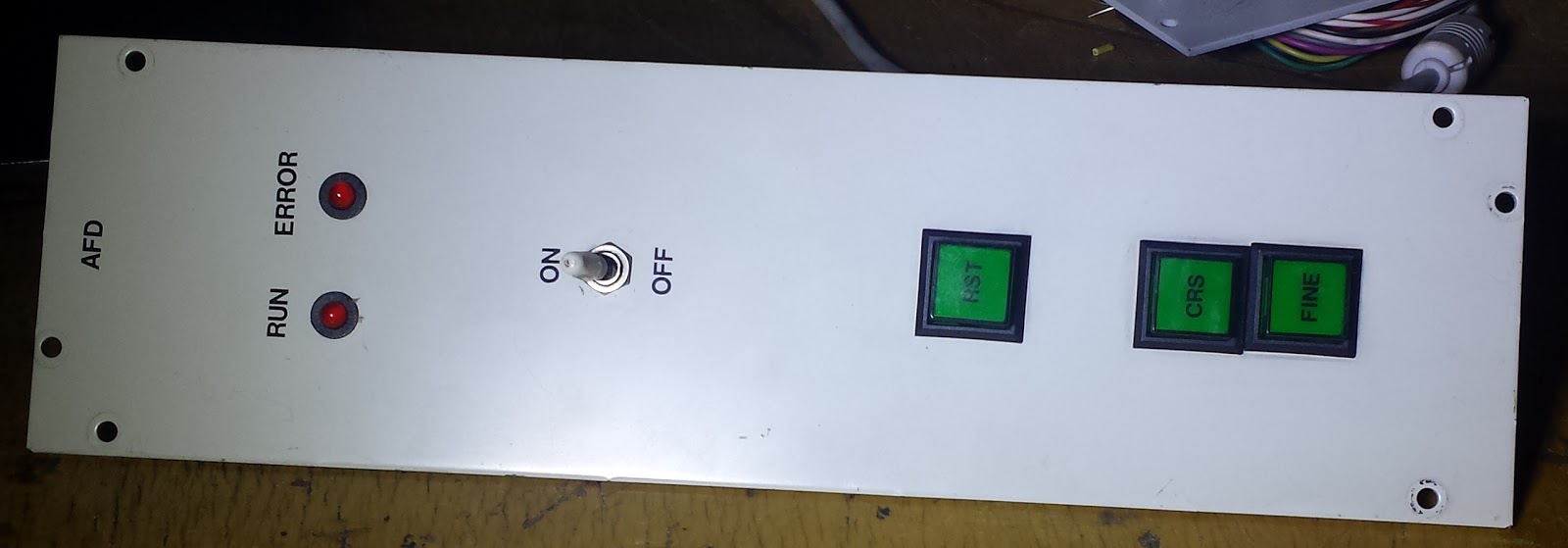
This control panel is kinda cool in the fact that it has 3 lighted buttons, 3 toggle switches, 1 LEDs, and 3 analog controls so that no matter what you want to control it will probably work pretty well.
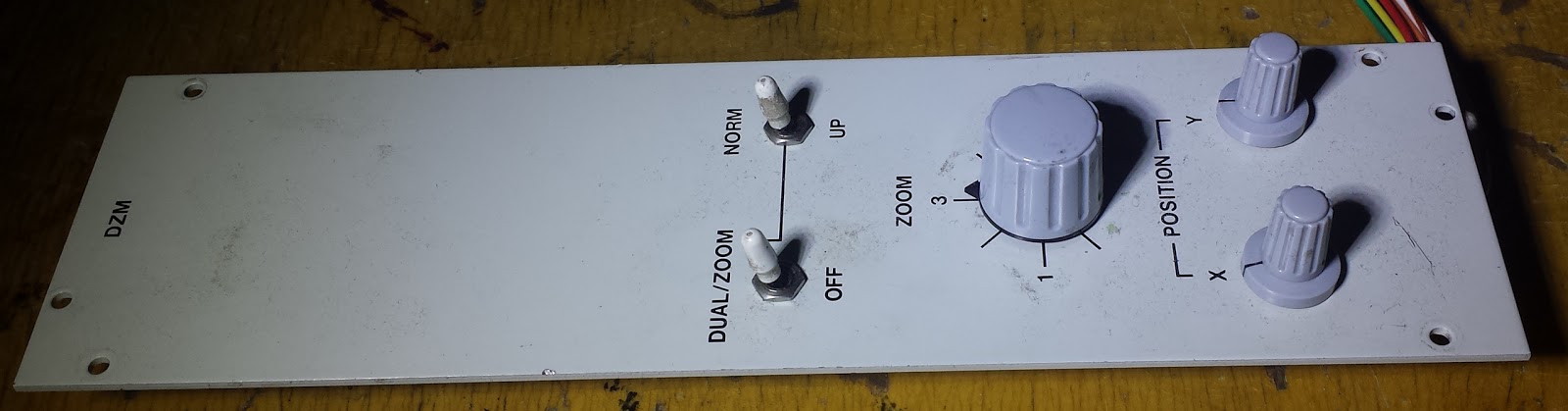
The first thing I’ll cover is the analog.  The ESP8266 only has one analog input, and that is limited to 1v.  I don’t know why that is the case considering the rest of the esp is a 3.3v device, but it just is.  It’s better than being a higher voltage since you can always apply a resistor divider to the ADC and sense a larger voltage, but sensing a smaller voltage requires amplifiers which are more complicated and prone to noise and power concerns (power concerns says the guy who just suggested burning off power over resistors).  The ADC is 10bit, which seems to have become standard on microcontrollers these days even if you usually only see 8bit pwm.
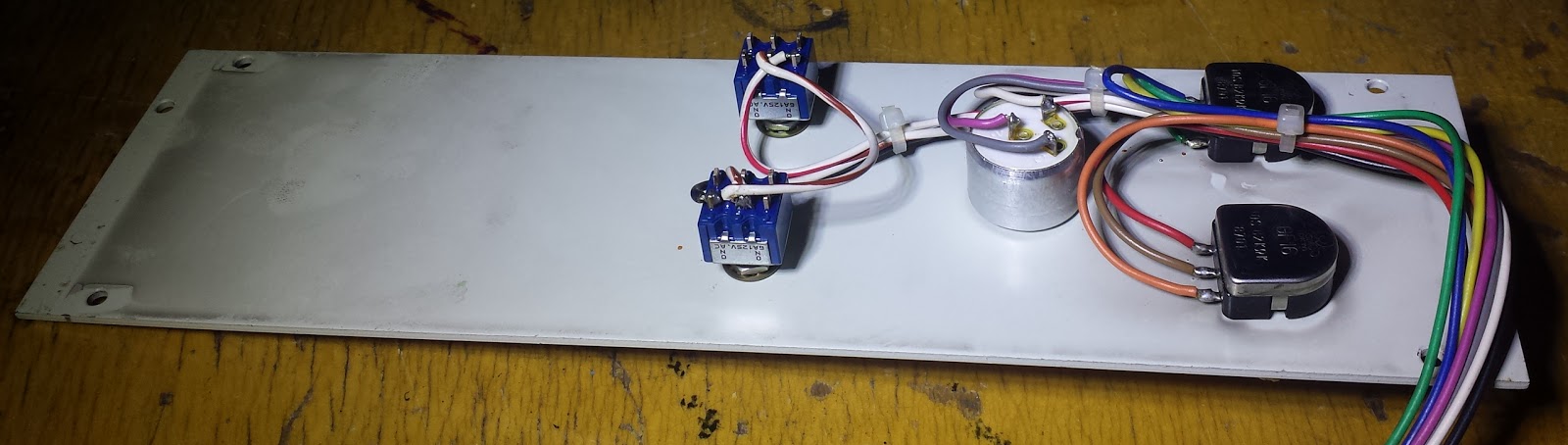
So, how do you use a pot on a 3.3v microcontroller as an analog input to a 1v ADC? more resistor dividers! A potentiometer has 3 pins (usually) being either end of the piece of resistive material and a center tap which selects the ratio of resistance.  This means that a potentiometer can be though of as a variable resistor divider (or a resistor divider can be used to replace a potentiometer if you need a fixed value).  Normally I would hook the outside legs of the potentiometer to the power rails and the wiper to the analog input, but in this case giving between 0 and 3.3v to the ADC is not desirable.  There are two ways to accomplish what the esp needs, you can either change the reference voltage for the potentiometer, or you can scale the input to the ADC.  I chose to scale the input to the ADC because I have 3 potentiometers and want to keep the analog voltage as high as possible until the last possible moment to shrink the impact that noise has on the signal.

That was how to use a POT to drive the ADC on an ESP8266 (acronyms and abbreviations get thrown around a lot, don’t they), but how do we use 3 of them at once? There are multiple answers to this question, and continuing cheapness of i2c chips make the economics not as clear as they once were.  My tendency is to use the least number of chips, and the least complicated ones to do the job.  In my experience this leads to easier debugging (thy do you want to worry about high-speed signal capacitance when all you’re doing is reading a POT with an MCU?).  For this I chose the 405X.  The 4051, 4052, and 4053 are different combinations of analog multiplexer (4051 is a 1:8, 4052 is 2 1:4, 4053 is 4 1:2).  Since I have one analog pin and 3 sources of analog voltage  I could use the 4051 (and have unused inputs) or a 4052 (and have an unused mux and one unused input).  Driving them is identical (tie unused address lines high or low, just be consistent) so it doesn’t matter which I used (check the pictures, I’m writing this before taking them).
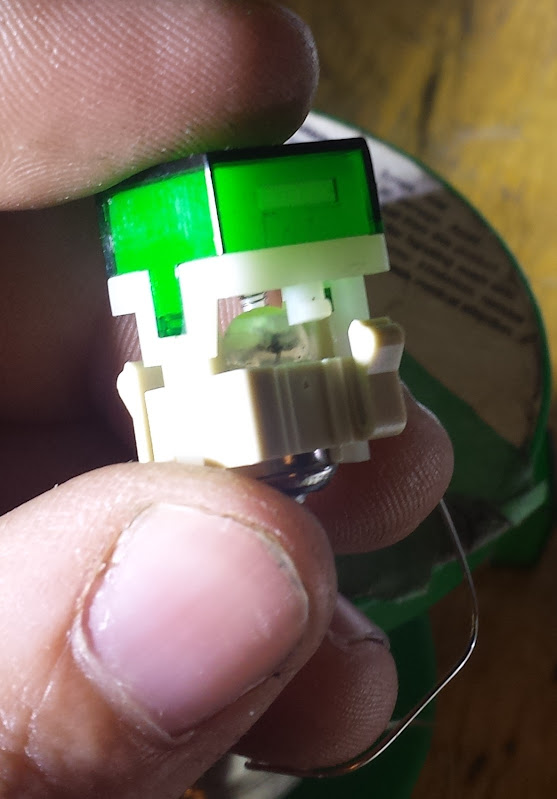
Now, before we talk about the outputs let’s talk about the switches themselves.  These are fairly nice switches, they pop out, have inserts for text, easily replaceable bulbs… Bulbs. Nope, those have to go. It’s not just that they are less efficient than LEDs, but they’re also something like 28v bulbs which is just not reasonable to have to step up the voltage for. If you’re doing this with precious vintage equipment that you can’t bear to modify then I’ll recommend a step up converter and some FETs. I broke the bulbs, soldered to the filament, and potted with hot glue. It seemed like the easiest way to add LEDs without messing with the mechanical beauty of the switches.
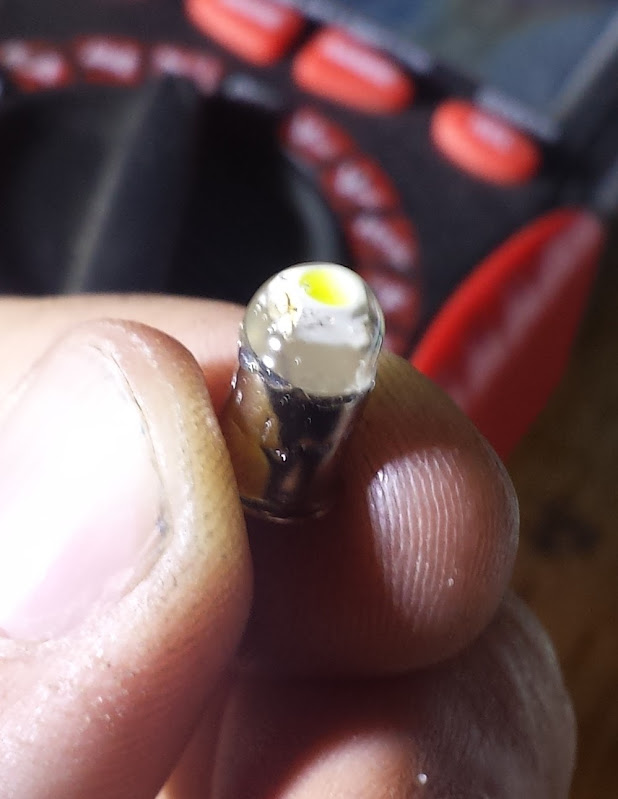
The LEDs also need current limiting resistors, I picked ones that put out a reasonable amount of light and work with my 3.3v power supply.  The choice of LED was ‘what looks good that will fit and I have lying around’ and the choice of resistor was ‘what works with that LED’ so you need to pick your own for LED-moding your electronics.  The resistors I put in-line with the input to the bulb socket and heatshrunk over.
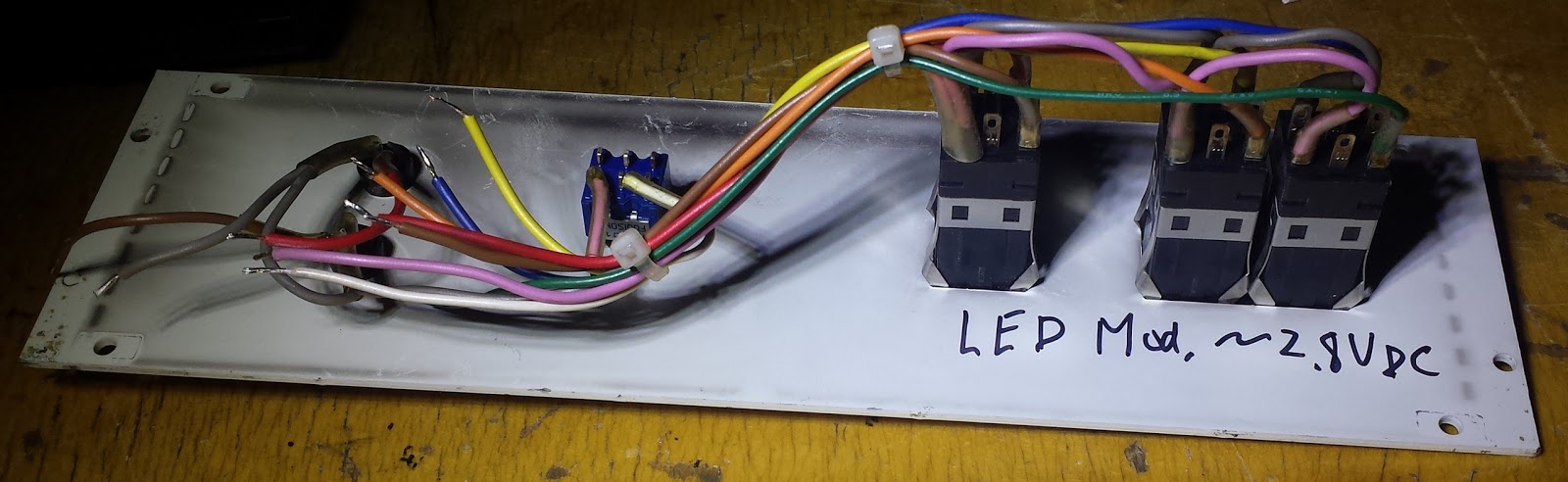
So, now let’s deal with the outputs for these panels.  The white LEDs I just explained, how I set them up to be driven with 3.3v, but we also have 2 red LEDs.  The red LEDs had both positive terminals wired together and apparently used low side drive to switch them, I decided to make all the outputs on this project high side drive so I unwired the LEDs and rewired them with resistors that make them pleasing to look at at 3.3v (as I do more projects I care less and less what amperage my lights are, they just need to be ‘pleasing’ and ‘not going to burn out’.  Since these LEDs are driven over shift registers I can’t use the hardware PWM to control the brightness, it’s important to choose a light leven that is comfortable because it will be hard to dim (although one could low side drive the common light ground to dim them all as one).

The chips I chose for input and output were a complete pain.  There are so many complimentary parallel-serial chips it can get overwhelming picking them.  The 74xx595 and 597 are very modern and the go-to standard of many hackers (including myself) but they have extra control lines for the latches which means they can’t be used with just hardware SPI.  The 74xx164 and 165 are closer but they are still not exactly right.  I eventually settled for the 74HC595 and the 4021.  I really don’t think I should have to mix families to accomplish this, and I couldn’t tell you exactly what the problem was anymore with the other chips, but using this combination I can use hardware SPI commands and it works every time.  Credit goes here because I would never have thought of that.  The difference in my design is that I decided not to waste any cycles and I wired the SS pins together so every time I read the input I update the output (well, I could but didn’t if you check the code).

Now, just to make sure everything’s consistent I recommend you pull all the buttons and switches either up or down (be consistent) and have them connect to the opposite rail on activation.  You may think that I wouldn’t need a pull down resistor with the toggle switches and I could have definite states for both positions, you would be right but I decided not to add any more wires so that means only two wires per switch.

There you go, that’s how to multiplex analog and digital signals with some basic logic chips so your esp can control more things.  Of course there will be people that think everything should be done over i2c, but there are serious problems when trying to do fast input and output on a shared bus.  I’m already planning another couple features before I call this done so you may see it again soon.

I’ll close by saying that I’m leaving this a bit open-ended.  There are so many things you can do here I won’t try to write a firmware that works for them all.  I was originally thinking this could be a thermostat, but now I’m leaning more toward a lighting controller (light intensity, warm and cool tint knobs, indicator to see if the lighting has been overridden, buttons to control the rest of the first floor lights).  Whatever it becomes I now have example code to chain as many parallel inputs, outputs, and analog inputs (you can run the multiplexer off the 595 if you want) into an ESP8266.

code is here or here.

pictures are here.

The rest of this series can be gotten through from the home page here.

little esp modules

May 28, 2016

I really like these little modules, they can be had very cheaply from aliexpress.  They have a CdS cell, an RGB LED, a micro usb port for power (and linear regulator that can run the module) and a button on them.  They come with a little programming board with a CH340 usb-serial converter, and reset/flash buttons.  The reset button wiring is pretty obvious.  The button on the esp board goes to GPIO4.  The ‘flash’ button goes to GPIO0.  The RGB LED goes to pins 15, 12, 13 active high.  The little blue led on the module is tied to GPIO2 which is why it blinks when programming.  The CdS cell is tied to the analog pin, it spits out between 50 and 1024 (basically the whole range). They program exactly like a nodemcu 1.0

The rest of this series can be gotten through from the home page here.
auto-display ip address on a raspberry pi

May 28, 2016

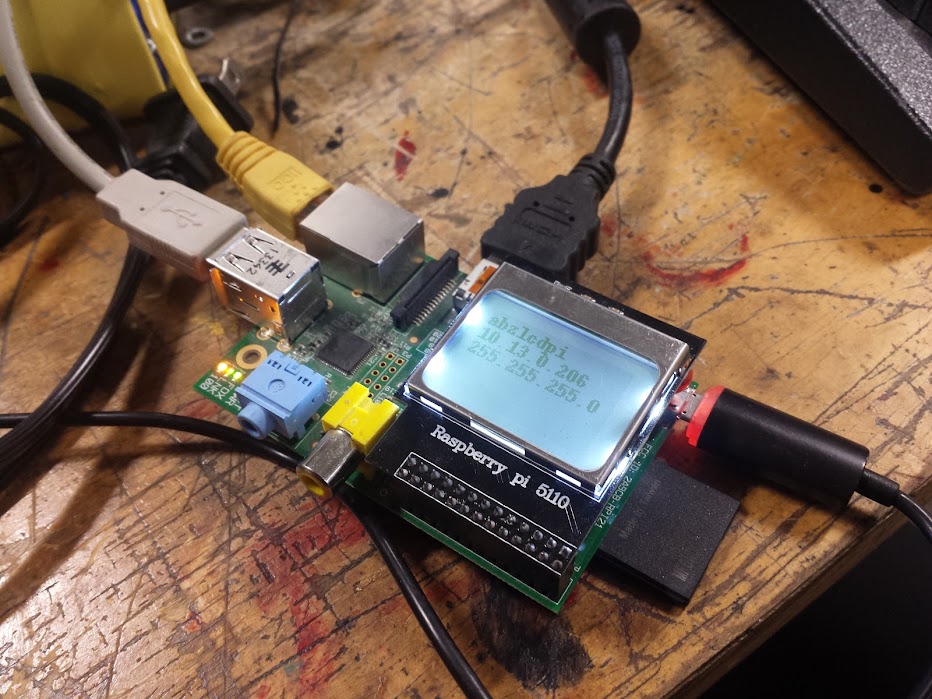
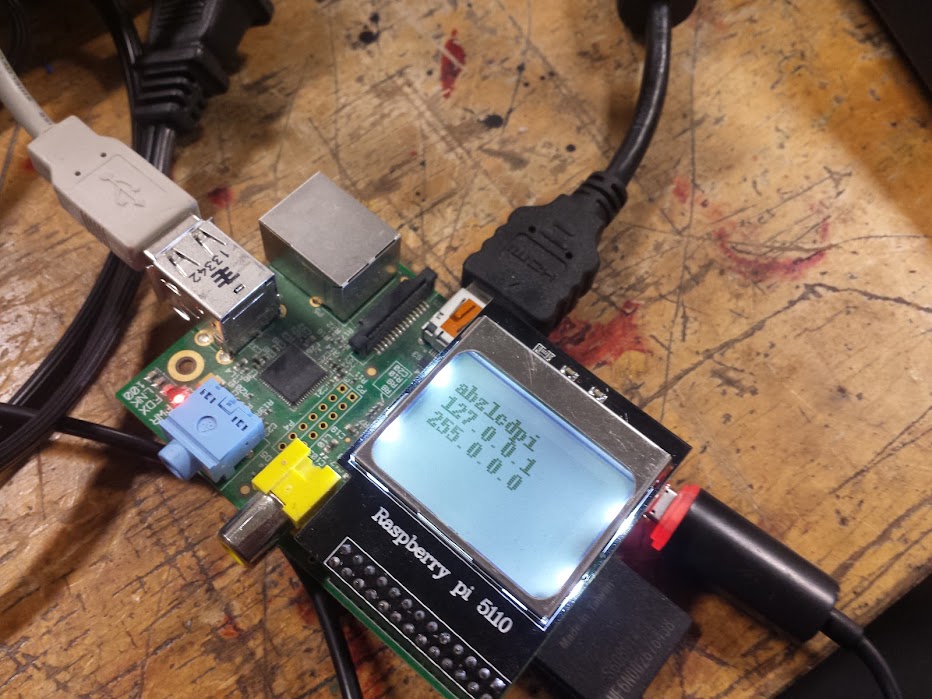
Here’s a quick one.  I like using a pi as a server for things like mqtt, but with my experimentation I bring it back and forth between home and my local hackerspace.  Now, sane people might use DNS to find the mqtt server, I had trouble with that and gave up.  I can usually guess the ip address because the router holds on to the one it gave me last time, but that doesn’t always work.  Here’s how I decided to have the headless pi tell me the ip it is connected at.

I tried doing this with an HD44780, I have seen people do it with a 10k pot and no other electronics between the pi and display.  I tried for a day and couldn’t make that work.  My next option was to but a display on a breakout board for the pi, then I can’t doubt my wiring and it either works or it doesn’t.  It turns out that a nokia 5110 display is really cheap on ebay, so I looked around briefly and figured that I could get it working when it came in.

Here’s what I found:

the unit I got was wired to gpio that is not on the hardware spi bus, but the pins seemed the same as the one described in this article.

That means using the adafruit libraries described here.

The contrast sucks with the initial image test, but the text looks ok.

I needed to get my ip address in python, I used netifaces as described here.

That broke when there was no cable plugged in, so I caught the exception like this.

I wanted the hostname as well, so I used socket, like this.

I wanted it to start on boot so I used rc.local as found here.

my final code is located on my github here.

ESP8266 RTC and NTP

September 24, 2015

This one’s a doozy.  Maybe not to read, or write, but to code it was by far the most ‘fun’ so far.  My decisions at the time may have been lost to the sands of time, but I will try to capture them here as best I remember.  Let’s start with NTP.  NTP is very good for setting a clock, but it takes a call out to the network, and a response back along with a bunch of calculation you’ll see later to get a good time out of it.  NTP is not suitable for repeated hammering if you want to append a time to, say, a log file.  a Real-Time Clock is great for keeping time (just like your alarm clock) but not so great if you have to set it.  You could send an offset to move it up or back a certain number of minutes, hours, whatever if you need to set it, but we’re already on the network so why not do it automatically.  The code I write can work so much faster than I can and synchronizing clocks is not really something to be left to ‘eyeballing it’.

The most common RTC is the DS1307, it’s everywhere, like popcorn almost.  The chip I ended up using however was the DS3231.  In case you were wondering, the DS prefix is a holdover from when Dallas Semiconductor used to make them, they were bought by Maxim and that is where you can see new products coming from.  The DS3231 is more accurate, but most importantly for me is that it will run off of 3.3v.  You can see one of my favorite blogs go over how to use them here, my use case was getting it set by NTP, then using it to timestamp data.  The ESP is supposed to have an RTC in it, but it uses a pretty bad oscillator, even then I don’t know how to use it.  For this project I elected not to unravel the use of RTC libraries to write one for the ESP specifically and rather just use an off-the-shelf one.

The first challenge I had was getting the clock to read.  That code was taken blatantly from a library’s example and trimmed down to accommodate what I needed.  It included a bunch of checks to see if the time and date coming from the RTC made logical sense, which is useful when you’ve got a 50/50 chance you wired up sda and scl correctly.  I left in pretty much everything from that example and adapted the functions to be printed, printed to serial, to return a string, whatever was needed.  The code I provide isn’t that hard to follow if you view it in a way that allows you to collapse sections once you understand them (the code structure shows through more there).

With reading from the RTC done now I’ve got to read from NTP.  Another example to the rescue.  NTPClient had everything that was needed to get an NTP packet.  That’s not really all that useful, but the act of constructing the packet and getting it back successfully was done.  Now I have a packet (gotten from a straight UDP request) but the data in it is still Greek to me (actually I prefer to view things like that in HEX but…).  The final piece to the puzzle was on the arduino code repository (uh, oh! that’s never recent) and miraculously worked, but I needed to modify it for our application.  This was not designed for the ESP, so all the network initialization stuff had to go, substituted for our own.  Thank god for API standardization, because the wifiUDP works just like the ethernetUDP.  The sending of the NTP packet function was used wholesale (but the function call was moved so that it didn’t go every loop (I did pull apart an example program after all).

The code for converting from the NTP packet to a readable date/time value is complicated.  I found through experimentation that one version of the code wanted seconds from 1970 and the other wanted seconds from 2000.  I added line 284 (as of this version of the code) to compensate.  I also adjusted for DST since that was different as well.  The other functions I have in my code are really for formatting (and I’ve never made sprintf() do anything useful so I chucked it).  Now I have welded three different programs together using 3 different example programs to set the RTC from NTP.  After all that the rest seems trivial, but I’ll say that I have an update interval to set the RTC by and MQTT commands to request a timestamp or set the clock.  I didn’t put in the ability to set the update interval, but that’s also do-able.  This code, however terrible should really be broken out into a separate file so I can include it in many projects.  I like having time, now any output could be a clock.  If you really wanted to there’s a cron-like interface to use with arduino and you’ve got an alarm clock.  Some nixie tubes and shift registers would get you a very pretty one (even use a decatron for seconds).

As should be expected the code is here.

The rest of this series can be gotten through from the home page here.

ESP8266 Bistable Relay

September 24, 2015

As you can probably see, I’m putting together the building blocks to do something better.  Each of these articles describes one sensor and how I hooked it up to the ESP, but on their own these are not that useful.  This article is possibly most true in that department.  I have mentioned how much I like bistable relays before, and I mostly mention it to get more people to buy them because right now TE Connectivity seems to be the only people making them and I want tons of cheap ones out there to play with (there are breakouts on ebay, but seriously: more people need to love these things).  The benefit is simply that they are relaxed in two states.  There are/were ratcheting relays that have more relaxed states, or possibly move sequentially IIRC, but what I’m talking about are relays that can be light switches.  That means at least SPDT(3-way switch equivalent), and hopefully DPDT (n-way switch equivalent).  I may be using a power-hungry micro-controller, and not putting it to sleep, but dammit I will not burn current in a relay coil!

The problem with using a bistable relay as a light switch is that without sensing if the power is currently flowing you have no idea which way will turn the lights on or off.  If you remember which way the relay is currently settled you could do a ‘toggle’ to switch to the other position, but this does not help with ‘turn all the lights off’ unless you know which ones are on.  That method also takes a bit in memory because at any power up the relay could be in either position (you can read the state of a digital output to see if it is set high or low, but in this case that isn’t happening).  The answer I’m sure most people would come up with is to use a current sensor.  Either a non-invasive current transformer or a shunt resistor.  That is a fine idea, and there even exists a nice library for doing just that on the atmega 328, but I haven’t gotten around to porting that to the ESP yet.

The very clever method I saw once was to take a neon tube, a 100 ohm current limiting resistor and a photo-diode.  You wire up the resistor and neon tube to glow when the power is flowing to the light and detect it with the photo-diode, putting the whole thing in heatshrink.  This is a very simple opto-isolator, but it uses a neon tube to be compatible with high voltage.  There are detectors that can sense voltage and even digitize the frequency, but I would much rather have current reading so I’m holding out for that.  I may use the neon tube trick to get off the ground if I can’t port the current reading code fast enough, or I could throw on a 3.3v arduino pro mini and offload the analog to that.

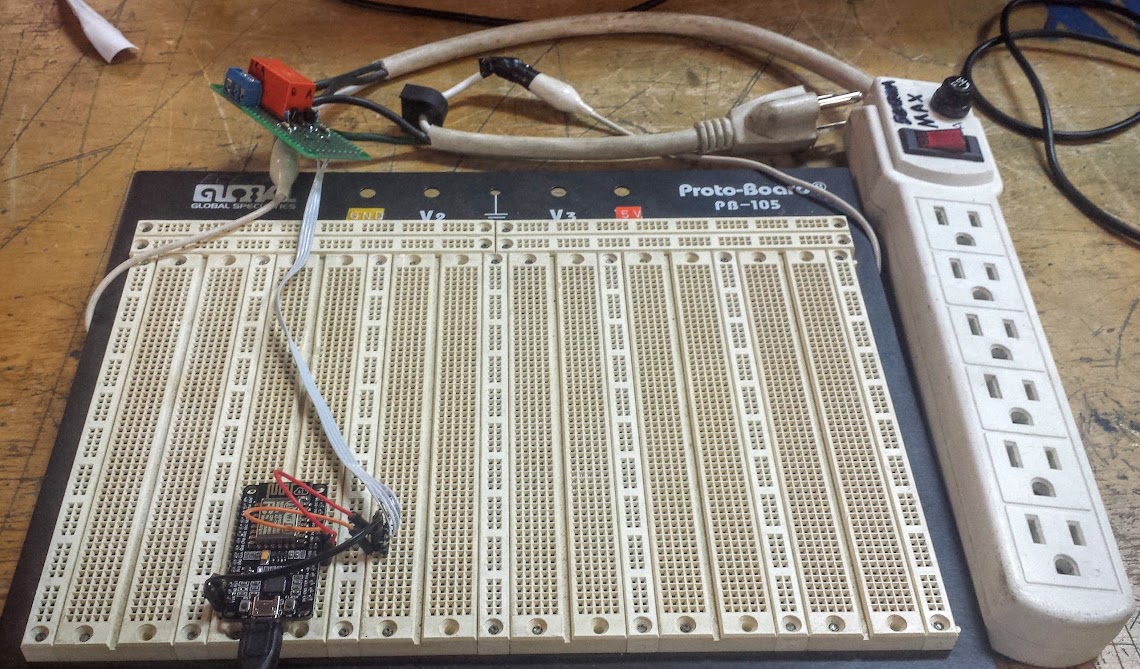
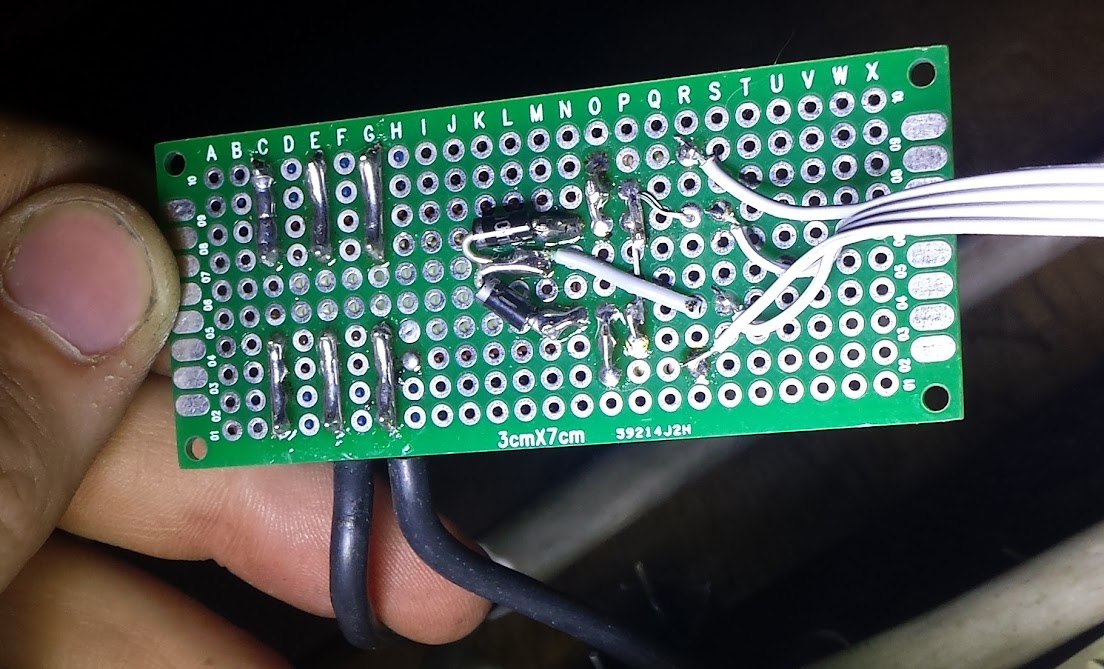
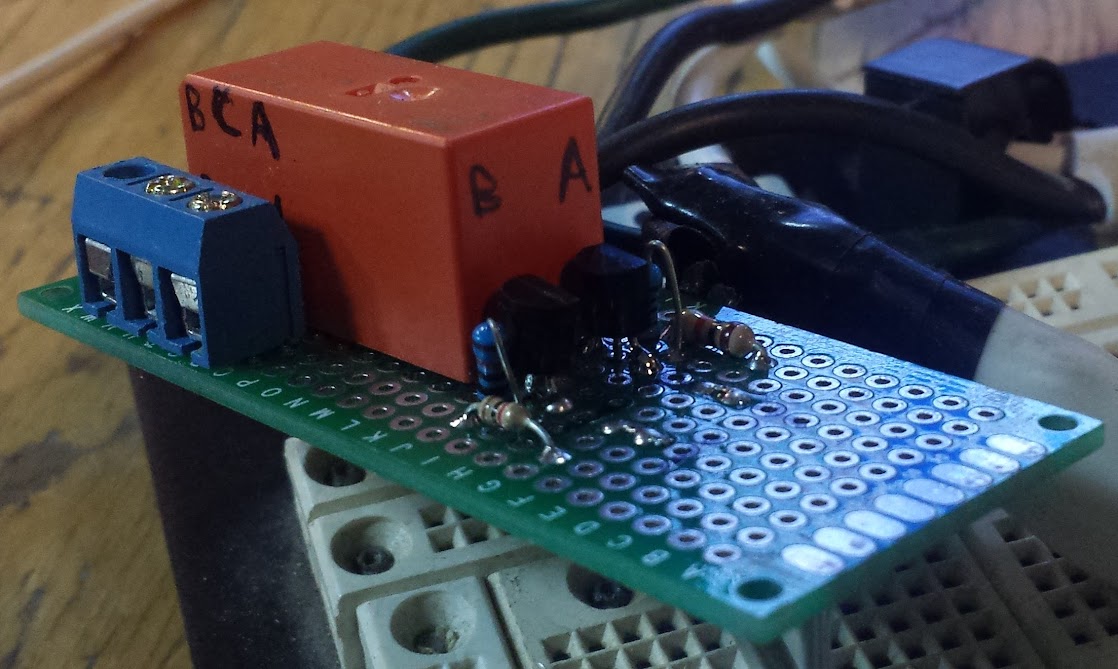
The current implementation is just controlling a power strip with no feedback (look for the current reading or voltage detection in my power node post when I get that solved).  The relay takes the 3.3v signals and drives the coils through 2 2n7000 FETs, they’re very convenient and I’ll probably get a favorite smd one but for now I love these.  The relays are 5v coil, and get powered before the 3.3v regulator on the NodeMCU.  I have 2 pins, and while I call them On and Off, I labeled the relay with A, B, and C(ommon) so I wouldn’t forget what the pinout was (or which FET triggered what.  This setup’s limitations are that I cannot determine the state on boot, and cannot determine if it is flowing current or not.  I have listed how I could do that above, and even now I could have it switch Off on boot just in case it was on, but I haven’t.  The code assumes off on boot, but intil you trigger one of the coils that will not sync up with what the output is.

What I did for MQTT commands was to have the relay only triggered when needed.  I envision sending broadcast messages saying to turn off the lights and I didn’t want to fire the coil if it wasn’t needed.  This also allows me to keep track od the relay state so I can poll for it without changing it.  This, coupled with MyMQTT for android basically recreates the other networked power strip that I built before, but I have to be running a server for this to work.

As should be expected the code is here.

The rest of this series can be gotten through from the home page here.
ESP8266 Temp and Humidity sensor

September 24, 2015

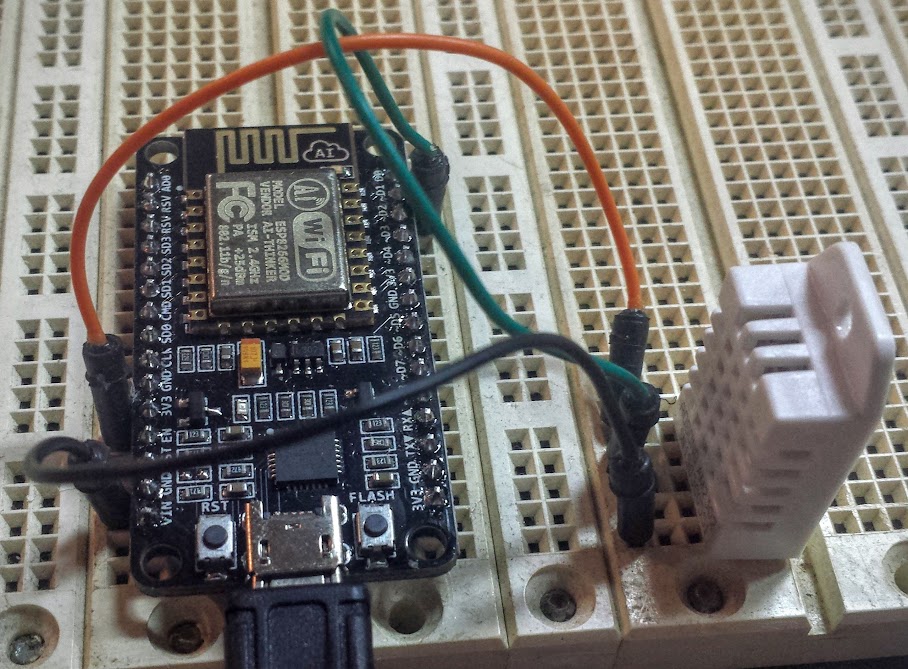
One of the simplest things you can do is hook up a DHT11 to an ESP and get a remote temperature reading.  The fact it includes humidity too is a bonus, most people don’t go looking for humidity sensors nearly as much as temperature sensors.   The DHT11 is fine and all, but I happened to have a DHT22 handy.  The differences are minor, but the code needs to be updated.  There is a library to use these sensors with and it is quite handy as well as the example code calling out how the settings need to be changed in the comments.

My implementation has 2 MQTT calls, one for the temperature and one for the humidity.  I added a second output line to each that sends a message to the LED sign for display (although it’s easy enough to amend what topics these are listening on and what they send to).  Now when you ask for temperature or humidity you get the response to inTopic, but also it gets displayed on the sign.  You could have an architecture where the temp sensor is listening on a topic and the humidity is listening on another and when either get a message they interpert that as a command to send their reading out, but they pick the channel based on the message you send them.  You can also have delimiters and parse the commands pretty easily from one topic.  There  are so many ways to implement MQTT it’s both fantastic and terrible.  You can do it however works best for you, but anyone else’s system will need adapting to work with yours.

As should be expected the code is here.

The rest of this series can be gotten through from the home page here.
ESP8266 flow meters

September 24, 2015

Here, real quick is my implementation of two liquid glow meters on an MQTT enabled ESP.  I really was thinking about what in my house to instrument, but it always seems that I want everything to be automated, but it’s hard to decide what you’d do with the data once you put so much effort into getting it.  I figured I’d instrument the hot and cold water to look for leaks, and to watch my usage.  I may only need a tiny hot water heater, or I may be running it out fast.  Also, charting the time on of the hot faucet may give an indication to how much water is wasted staying cold in the pex.  Anyway, my data could be used to size upgrades or energy saving things for the house, and the whole thing cost less than $20 in quantity one, so why not.

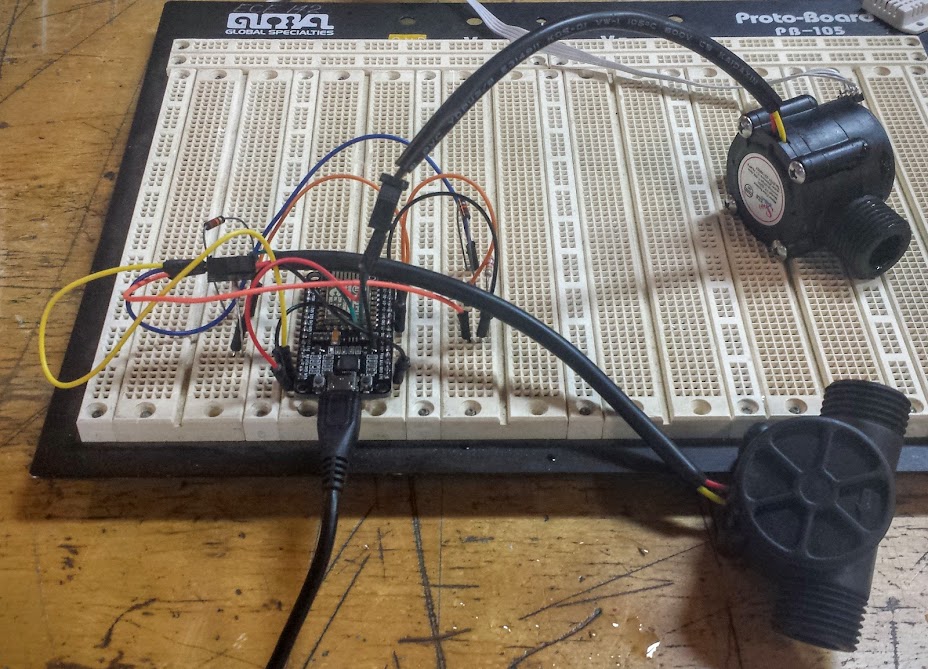
I decided to go with a plastic flow meter I got from an ebay seller whose cart I was filling up to get free shipping (see, I use the fluff I pad with).  They happen to be the same as the plastic flowmeters adafruit stock, so that’s nice.  The sensor inside is essentially a waterwheel and hall-effect sensor that counts rotations.  The sensor says it operates from 5 to 18v, but I would rather it run at 3.3.  I elected to just run it at 5 because the sensor may be less responsive, or accurate if it even did anything at 3.3v.  The output is in pulses and the pulses are naturally 5 volts, which is a problem for me.  The best thing about uni-directional sensors is that the voltage divider is just a pair of resistors.  Put simply, the voltage drop across the resistors is going to be 5 volts, but you can pick where along the drop from 5 to 0 you want and get a lower voltage signal out.  This is what I did to take the inputs from both flow meters (12K and 22K resistors were used to good effect, I have heard problems with different values).  The total bill of materials for this project is 4 resistors, 2 sensors, and one NodeMCU (which can be changed to an esp-01 when it is done being developed).  I’d say that’s pretty cheap for network logging flow meters.

This time the code is relatively simple, but with one quirk: we’re using interrupts.  The code that adafruit provided uses the hardware registers on the arduino to set the interrupts but we use a simpler method, with the ESP you can simply say attachInterrupt(pin#, function, type).  In that statement the pin# is which pin should be used for sensing, function is the function that will be executed when the interrupt is detected, and type is whether it is on a low-to-high transition, high-to-low, or either.  With that, a local counter variable, and some math to convert to liters you can see just how many liters have flowed past the meter since you last checked.  This is a rather basic implementation to show the concept with just 2 MQTT commands to read the flow out, in a final version I would add an RTC to send updates periodically, another command to zero the count, and auto-zeroing on perhaps a daily basis after the data has been sent and acknowledged as recorded.

As should be expected the code is here.

The rest of this series can be gotten through from the home page here.


Design a site like this with WordPress.com
Get started